Disclaimer: Please note that the terminal fee is non-refundable once terminal machine is sold.
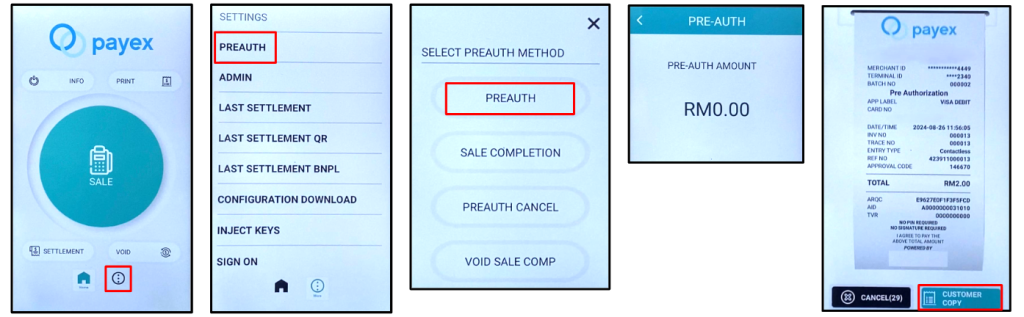
Step 1: How to Perform Pre-authorisation
- Click “3 dot” at bottom part of home screen
- Select “Pre-Auth”
- Tap “Pre-Auth”
- Key in amount, wave/insert card and tap “OK”
- Sample Pre-Auth receipt
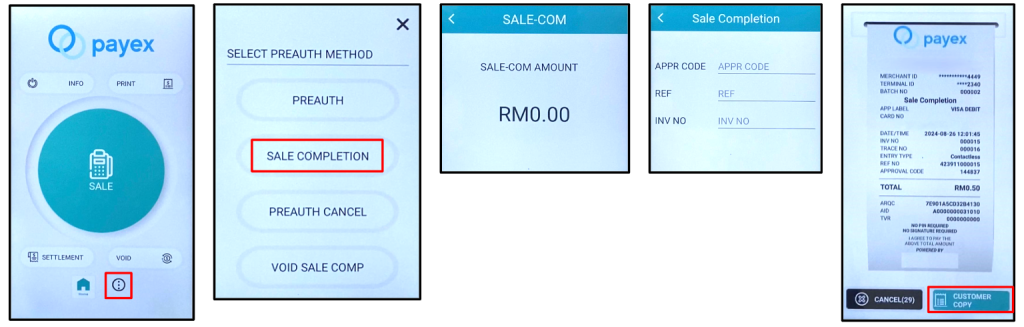
Step 1(a): How to charge money from Pre-authorisation amount
- Click “3 dot” at bottom part of home screen
- Select “Pre-Auth”
- Tap “Sale Completion”
- Key in amount that you want to charge to your customer
- To indicate Appr Code, Ref, Inv No, please refer Pre Auth receipt
- Sample Sale Complete receipt
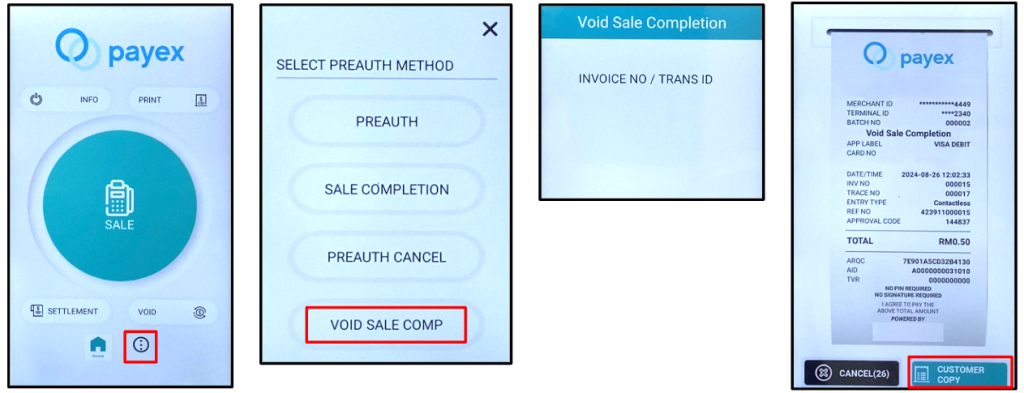
Step 1(b): How to release the remaining balance from Pre-authorisation Amount (if any)
- Click “3 dot” at bottom part of home screen
- Select “Pre-Auth”
- Select “Void Sale Comp” and key in the password
- To indicate Invoice No, please refer from Pre Auth receipt
- Sample receipt of Complete Void
Step 2: How to Void Pre-authorisation / To Refund Full Amount of Pre-authorisation to your customer
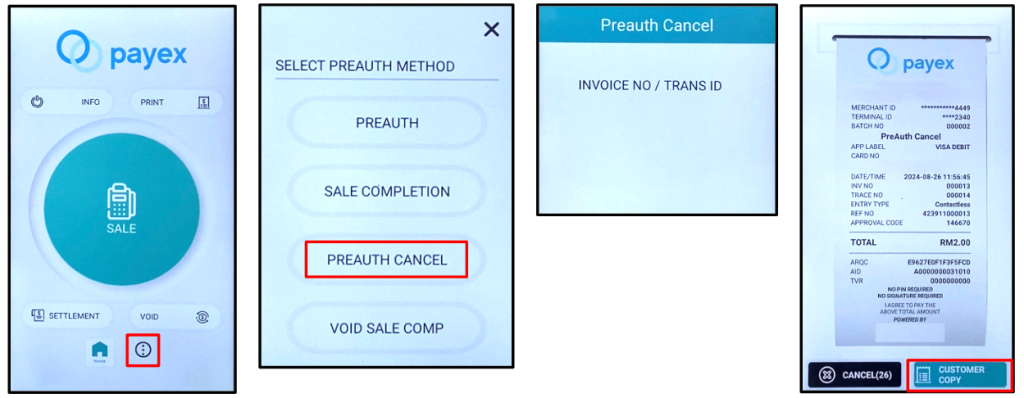
- Click “3 dot” at bottom part of home screen
- Select “Pre-auth Cancel” and key in the password
- To indicate Invoice No, please refer from Pre-Auth receipt
- Sample receipt of Pre Auth Cancel
No, the terminal fee is non-refundable once the terminal machine is sold.
The terminal can only accept one off payments with debit, credit or foreign cards (Visa and Mastercard only).
Terminal payment settlements should be conducted daily at the end of operational hours.
It will take 2 working days for terminal settlements to complete.
The thermal paper roll’s dimensions should be: 57mm x 40mm. This can be purchased from any provider as long as the dimensions are met.
If the terminal loses connectivity, you may reconnect to any other Wi-Fi or personal hotspots available. However, to avoid this problem from occurring, we highly suggest that the terminal is purchased together with the SIM card.
It is not compulsory per se, however it is highly recommended to avoid connectivity issues.
We will send a reminder for renewal one month before the SIM card expires.
If the merchant would like to renew, we will issue an invoice for the renewal. If not, we will suspend the SIM card upon expiry.
TERMINAL MACHINE (N910): The terminal transaction status will not be shown in real time. It will take approximately 2 working to reflect on the portal.
TERMINAL MACHINE (MOREFUN MF919): The terminal transaction status will be shown and reflected in real time.
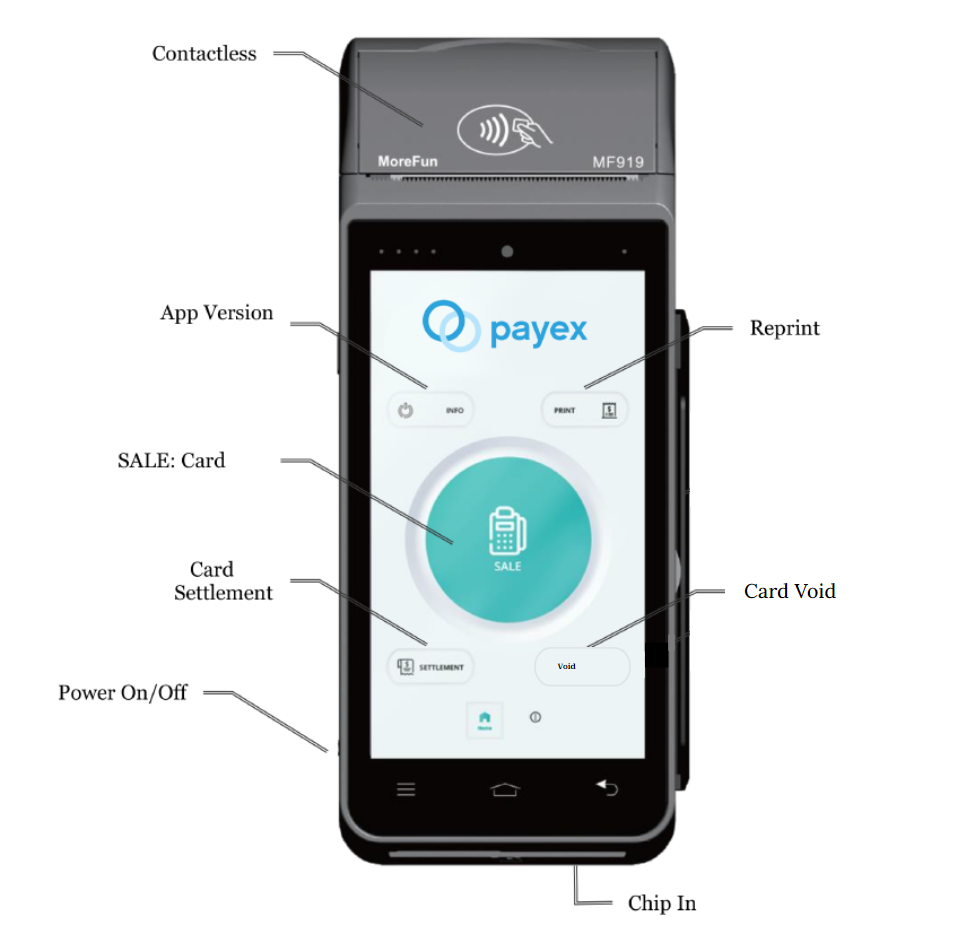
Disclaimer: Please note that the terminal fee is non-refundable once terminal machine is sold.
Step 1: Sales (Jualan)
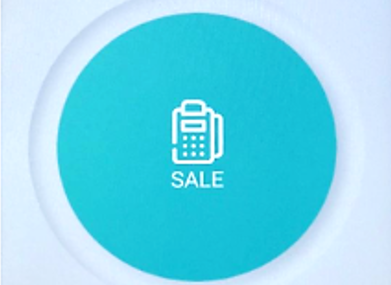
1. Click Sale icon
(Tekan Ikon Sale)
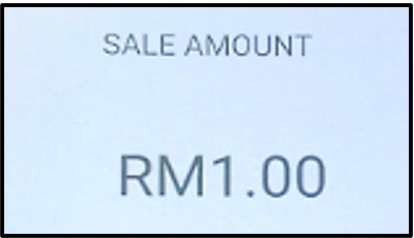
2. Enter Sale Amount
(Masukkan Nilai Jualan)
Press OK
(Tekan OK)
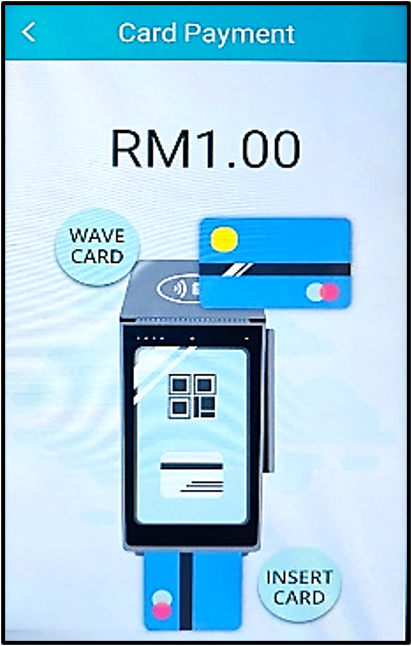
3. Select payment method
(Pilih cara bayaran)
Choose Bank Card
(Pilih Kad Bank)
4.Choose payment type
Wave / Insert
(Pilih cara pembayaran
Gelombang / Masuk)
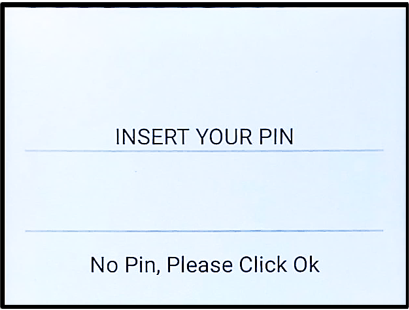
5. Enter Cardholder’s Pin if required
(Masukkan Pin Pemegang Kad jika perlu)
Press OK
(Tekan OK)
6. Terminal will dial to HOST for
approval and sales slip be printed out
(Terminal akan medial HOST untuk
kelulusan dan slip jualan akan dicetak)
Step 2: Void (Batal)
1.Click Void Icon
(Tekan ikon Void)
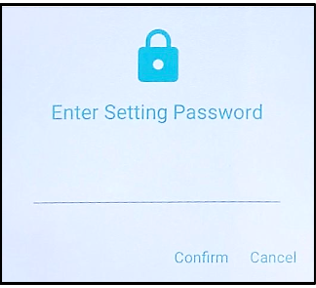
2. Key in the Void Password
(Masukkan Kata Laluan Void)
Press Confirm
(Tekan Sah)
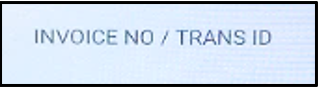
3. Key in Invoice No.
(Masukkan Invoice No.)
Press OK
(Tekan OK)
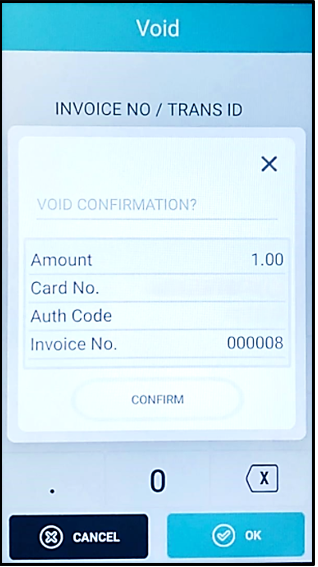
4.Confirm Void Amount
(Sahkan Jumlah Pembatalan)
Press OK
(Tekan OK)
5. Terminal will dial to HOST for
approval and void slip be printed out
(Terminal akan medial HOST
untuk kelulusan dan slip batal akan dicetak)
Step 3: Settlement (Penyelesaian)
1. Click Settlement Icon
(Tekan Ikon Settlement)
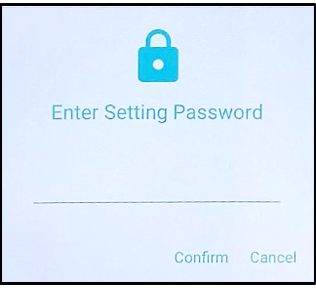
2. Key in the Settlement Password
(Masukkan Kata Laluan Penyelesaian)
Press Confirm
(Tekan Sah)
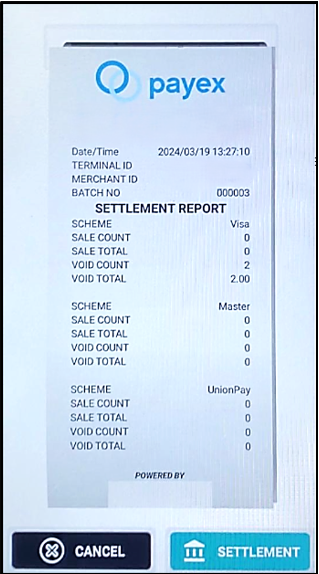
3. Click Settlement icon
(Tekan ikon Settlement)
4. Terminal will dial to HOST for approval and
settlement slip be printed out
(Terminal akan medial HOST untuk kelulusan
dan slip penyelesaian akan dicetak)
Step 4: Reprint Last (Cetak Terakhir) Any Transaction
1..Click Reprint Icon
(Tekan Ikon Reprint)
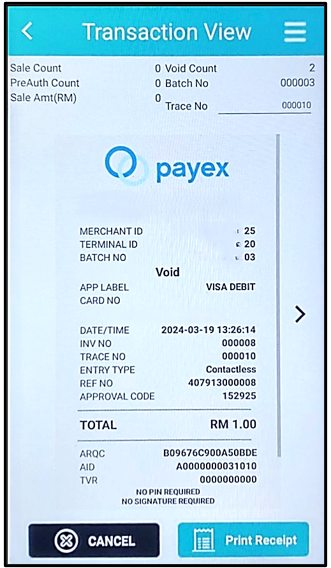
2. Select which transaction
needed and click Print receipt
(Pilih Transaksi dikehendaki dan tekan Print Slip)
Disclaimer: Please note that the terminal fee is non-refundable once terminal machine is sold.
Payex Android All-in-One Terminal (N910)

Sales (Jualan)
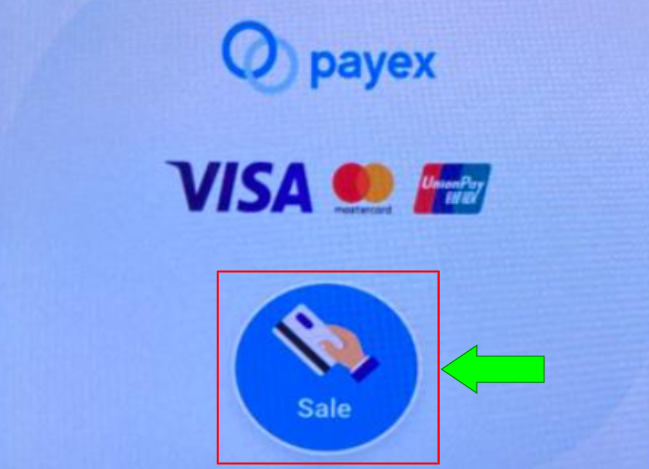
- Click Sale Icon
(Tekan Ikon Sale)

- .Enter Sale Amount
(Masukkan Nilai Jualan)
Press OK
(Tekan OK)

- .Select payment method
(Pilih cara pembayaran diterima)
Bank Card
Choose Bank Card
(Pilih Kad Bank) - Choose Payment Type Tap / Insert / Swipe
Pilih cara bayaran diterima Sentuh / Masuk / Leret

- Enter the cardholder’s Pin if required
(Masukkan Pin Pemegang jika perlu) - Press OK
(Tekan OK) - Terminal will dial to HOST for approval and sales slip be printed out
(Terminal akan medial HOST untuk kelulusan dan slip jualan akan dicetak)
Void (Batal)

- Click Transaction icon
(Tekan Ikon Transaction)

- Click Void icon
(Tekan Ikon Void)

- Key in the Void Password
(Masukan Kata Laluan Batal)
Press OK
(Tekan OK)

- Key in TXN No.
(Masukan Jualan Surih) - Press OK
(Tekan OK)

- Confirm Void Amount
(Sahkan Jumlah Pembatalan) - Press OK
(Tekan OK) - Terminal will dial to HOST for approval and sales slip will be printed out
(Terminal akan medial HOST untuk kelulusan dan slip jualan akan dicetak)
Settlement (Penyelesaian)

- Click Settlement Icon
(Tekan Ikon Settlement)

- Key in the Settlement Password
(Masukan Kata Laluan)

- Tick All
(Tekan All) - Terminal will dial to HOST for approval and sales settlement slip will be printed out
(Terminal akan dail ke HOST untuk kelulusan dan slip settlement jualan akan dicetak)
Reprint Last (Cetak Terakhir), any transactions

- Click Reprint Icon
(Tekan Ikon Reprint) - Select which transaction needed and then Click Print
(Pilih Transaksi dikehendaki dan Tekan Print)

- Select which transaction needed and then Click Print
(Pilih Transaksi dikehendaki dan Tekan Print)
2.1 Transactions
2.2 Print Transaction Summary
2.3 Print Transaction Details
2.4 Reprint Last Transaction
2.5 Reprint Last Settlement
What to take note of:


 Disclaimer: Please note that the terminal fee is non-refundable once terminal machine is sold.
Step 1: How to Perform Pre-authorisation
- Click “Transaction”
- Select “Pre-Auth”
- Put amount, insert card and enter pin number
- Sample Pre-Auth Receipt

Step 1(a): How to charge money from Pre-authorisation amount
- Click “Transaction”
- Select “Completion”

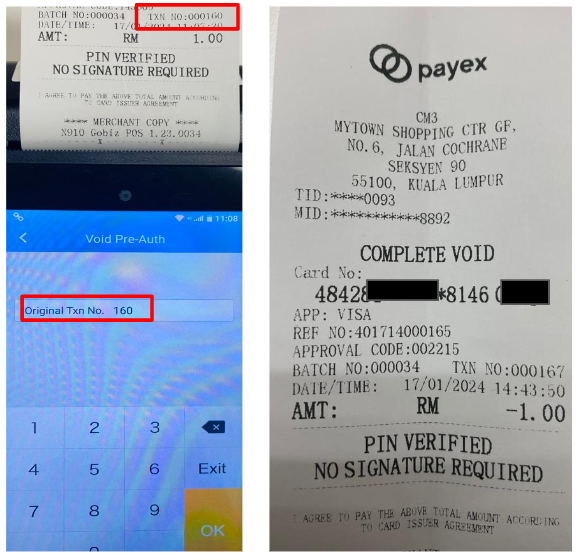
- To indicate original Txn number, please refer Txn number on receipt
- Enter the amount that you want to charge to your customer
- Sample receipt of Auth Complete

Step 1(b): How to release the remaining balance from Pre-authorisation Amount (if any)
- Click “Transaction”
- Click “Void Complete” and key in the password

- To indicate original Txn number, please refer Txn number on auth complete receipt
- Sample receipt of Complete Void

Step 2: How to Void Pre-authorisation / To Refund Full Amount of Pre-authorisation to your customer
- Click “Transaction”
- Select “Void Pre-Auth” and key in the password

- To indicate original Txn number, please refer Txn number on Pre-Auth receipt
- Sample receipt of “Void Pre Auth”